Lab 3 of 6
VQL performance and YARA
Compare disk and memory queries and improve YARA scanning performance.
2023 workshop archive · Version details
Migrated from the original Notion material. Commands and examples are preserved from 2023 and have not been retested against current releases. Screenshots and lab behaviour may differ with newer versions.
On this page
Objective #
This lab is an introduction to look at Velociraptor performance when using yara.
We will be walking through the best way to run Velociraptor queries with a few different use cases.
Dependencies #
Velociraptor available on the desktop to run as per Lab: GUI mode walk through
Open cmd, browse to desktop and run: velociraptor .exe gui –-datastore=./VRdata -v
The Velociraptor GUI is configured to open automatically upon start, but the credentials are available below:
- URL:
https://127.0.0.1:8889/ - Username:
admin - Password:
password
Tasks #
Task 1 · Disk queries
Often we have a choice between using a Windows API (glob) or NTFS (glob & parse_mft) based search when hunting on Windows systems.
Due to manually parsing the MFT, NTFS searches generally have better reliability but is often slower as the MFT only stores the top level object (file or folder) and paths need to be reconstructed as the search takes place.
This means:
Although typically slower, searching for only a specific file name or folder name using NTFS.MFT is better than relying on a path.
When there is knowledge of the target path, using a glob can be significantly faster.
Blind searches with knowledge of file attributes like file size can also yield significant performance improvements when scanning at large scale.
Even though yara has performance optimisation we can deploy in rules (such as header, file size etc), we should always look at filtering in VQL itself to optimise performance as much as possible for best results.
Always think of row reduction as a priority before any kind of processing or enrichment when many rows are possible!
e.g:
- yara
- hash
- parse_pe
- authenticode
There might not be a large difference on a small test system, production can scale things up significantly.
Firstly we want to add some generated data. We are going to show hunting for web logs.
Run the following Powershell to import some IIS logs.
# DEATHcon 2023: Velociraptor Performance scenario disk datagen

$ZipUrl = "https://github.com/mgreen27/mgreen27.github.io/raw/master/static/other/DEATHcon/inetpub.zip"
$ZipPath = $env:HOMEDRIVE + $env:HOMEPATH + "\" + ([uri]$ZipUrl).Segments[-1]
$RandomAppPath = $env:HOMEDRIVE + $env:HOMEPATH + "/SomeRandomAppLocation"

Remove-Item $RandomAppPath -Recurse -Force -ErrorAction Ignore
Remove-Item "$env:HOMEDRIVE/inetpub" -Recurse -Force -ErrorAction Ignore

Invoke-WebRequest -Uri $ZipUrl -OutFile $ZipPath
Expand-Archive $ZipPath -DestinationPath "$env:HOMEDRIVE\" -Force
New-Item -ItemType Directory -Force -Path $RandomAppPath | Out-Null
Expand-Archive $ZipPath -DestinationPath $RandomAppPath -Force

Get-ChildItem $RandomAppPath,"$env:HOMEDRIVE/inetpub" -Recurse -Filter *.log | Select-Object LastWriteTime,FullName | Format-Table
The powershell will download some ws_ftp exploited logs and extract them to default inetpub on C:\ as well as an unexpected path.
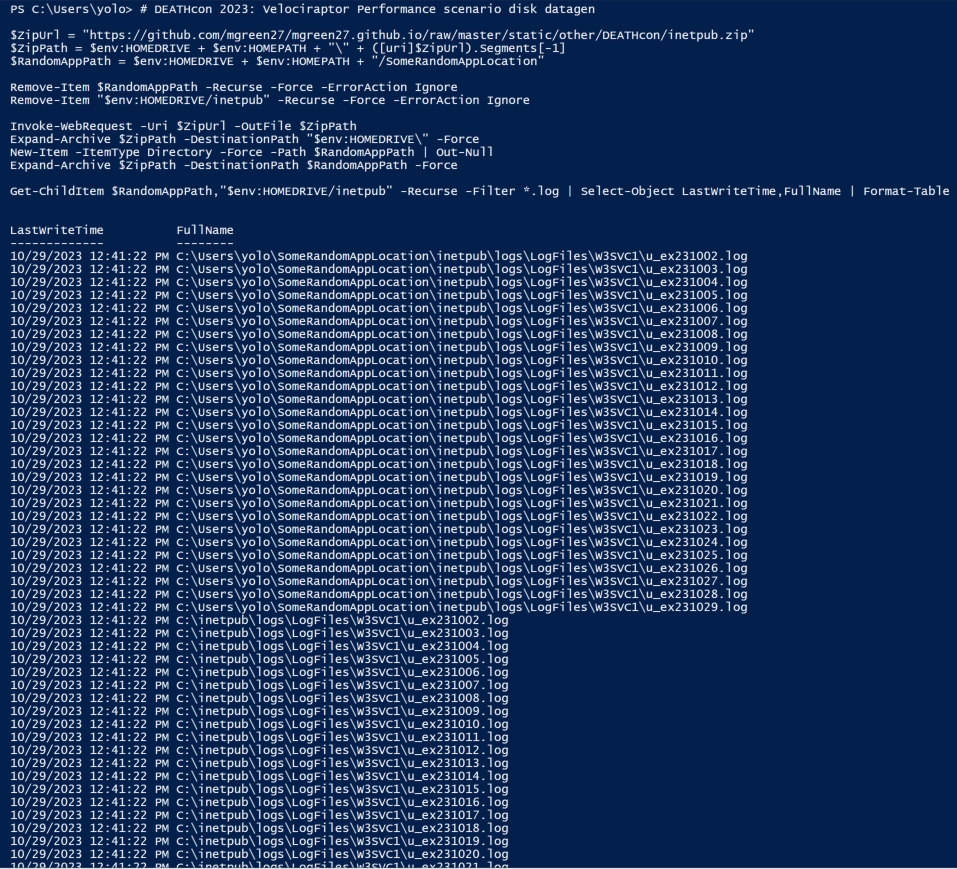
Select screenshot to view full size in a new tab. Typically we would want to write a detection that is not hard coded with folder path (unless scope was very specific).
Open your test machine collection view and run a new Windows.Detection.Yara.NTFS collection use the MFT to hunt for our test files.
We will be using the yara:
rule LOG_ws_ftp_exploit {
	meta:
		description = "Detects potential exploitation of Progress Software WS_FTP Server in IIS logs"
		reference = "[https://www.rapid7.com/blog/post/2023/09/29/etr-critical-vulnerabilities-in-ws_ftp-server/](https://www.rapid7.com/blog/post/2023/09/29/etr-critical-vulnerabilities-in-ws_ftp-server/)"
	strings:
		$post = /\n.{1,50} POST \/AHT\/.{1,250}\n/
	condition:
		any of them
}
This Yara rule is written with the goal to return full log line. Using regex with a variable length and could be considered less efficient. We make it efficient by specifically targeting and reducing the number of files we need to scan and using the
NumberOfHitsparameter to stop after a single hit.Firstly using the FileRegex for optimisation and adding PathRegex for further targeting of the returned paths:
FileNameRegex=^u_.+\.log$PathRegex=inetpub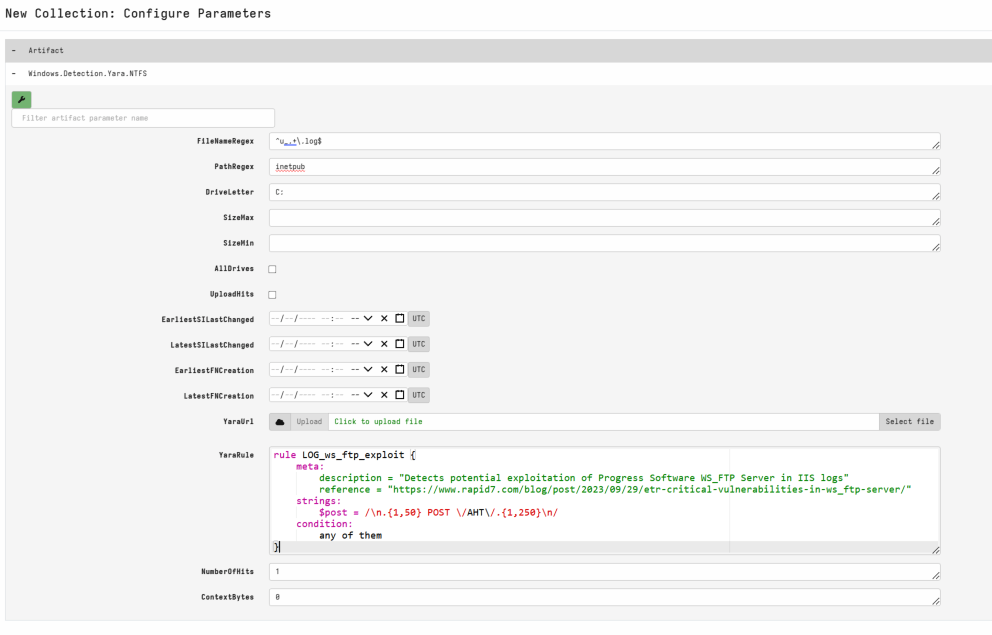
Select screenshot to view full size in a new tab. 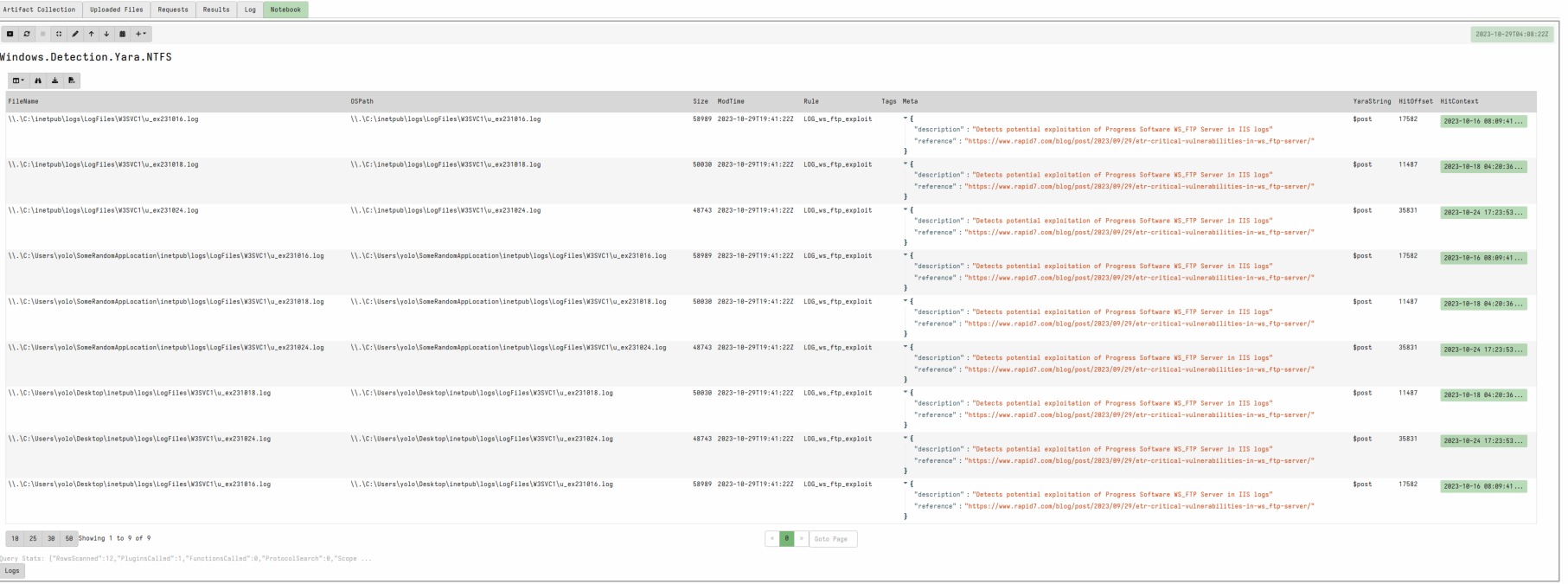
Select screenshot to view full size in a new tab. 9 hits ~ 30 seconds
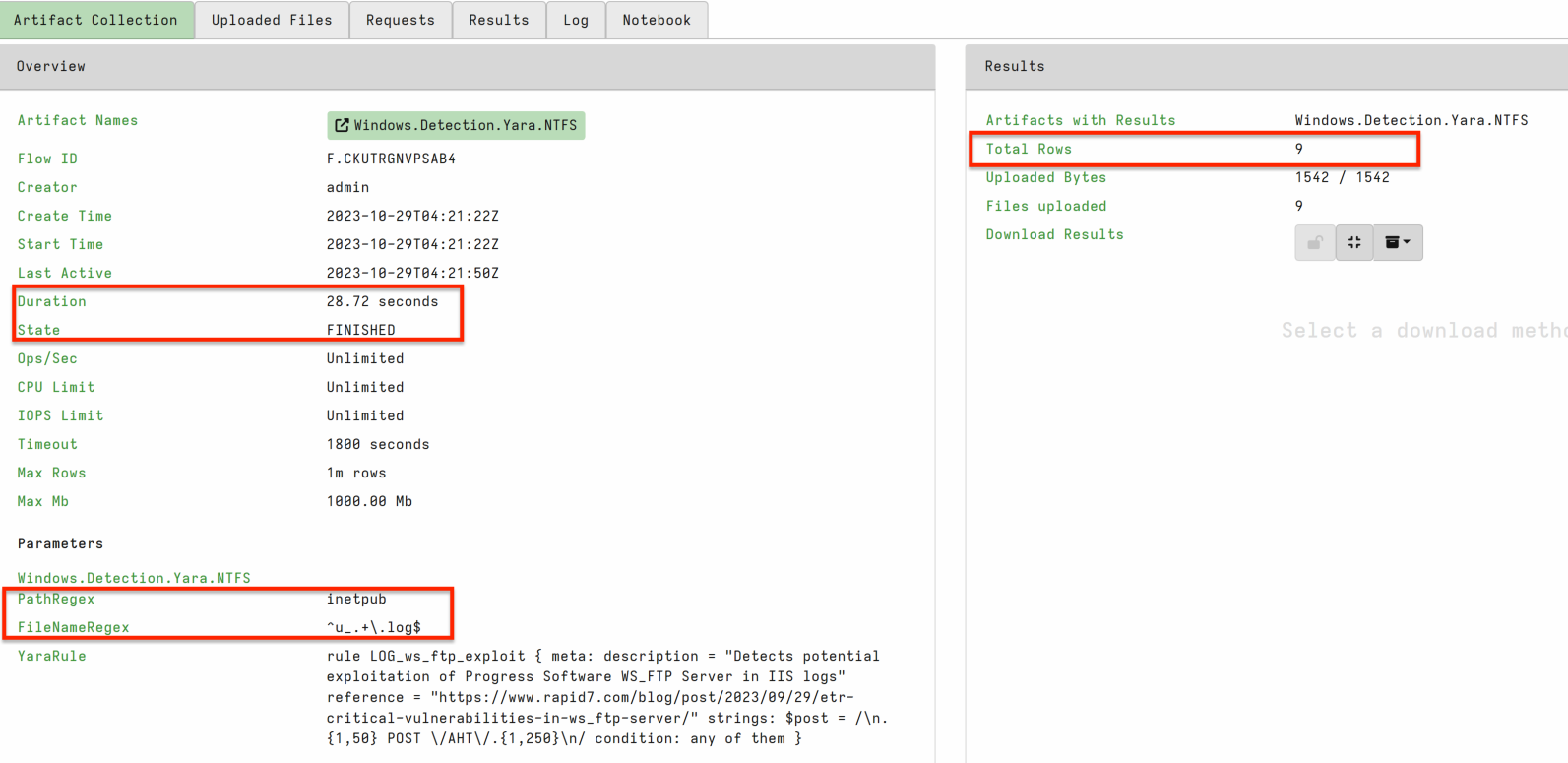
Select screenshot to view full size in a new tab. vs running the same query with a PathRegex filter only.
FileNameRegex=.PathRegex=inetpub\\.+\\u_.+\.log$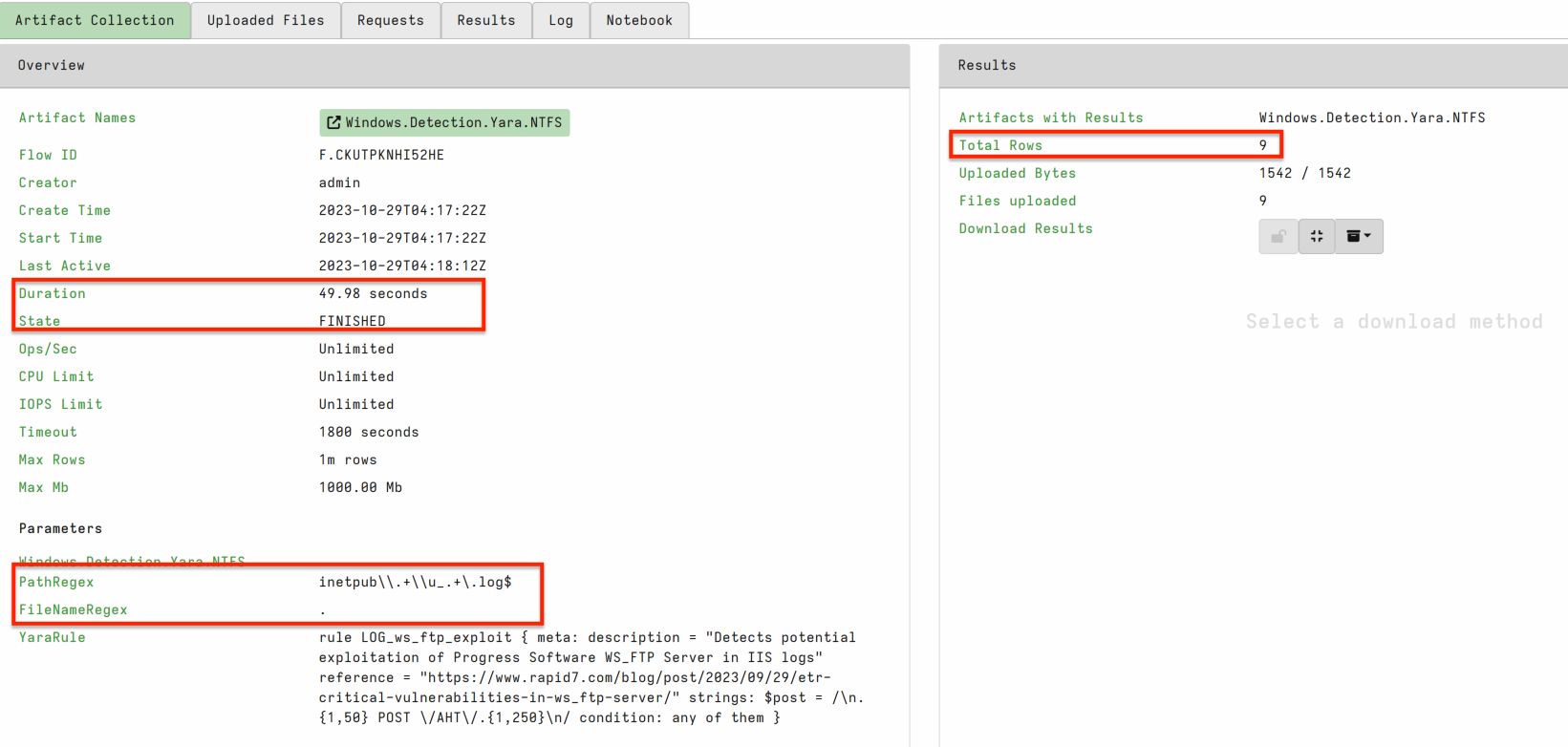
Select screenshot to view full size in a new tab. Although only a small difference in my example at 45seconds, in a production query across large hard disks and busy machines this difference may be significant.
Try the same hunt above but using a Generic.Detection.Yara.Glob instead
PathGlob=C:\**\inetpub\**\u_*.log
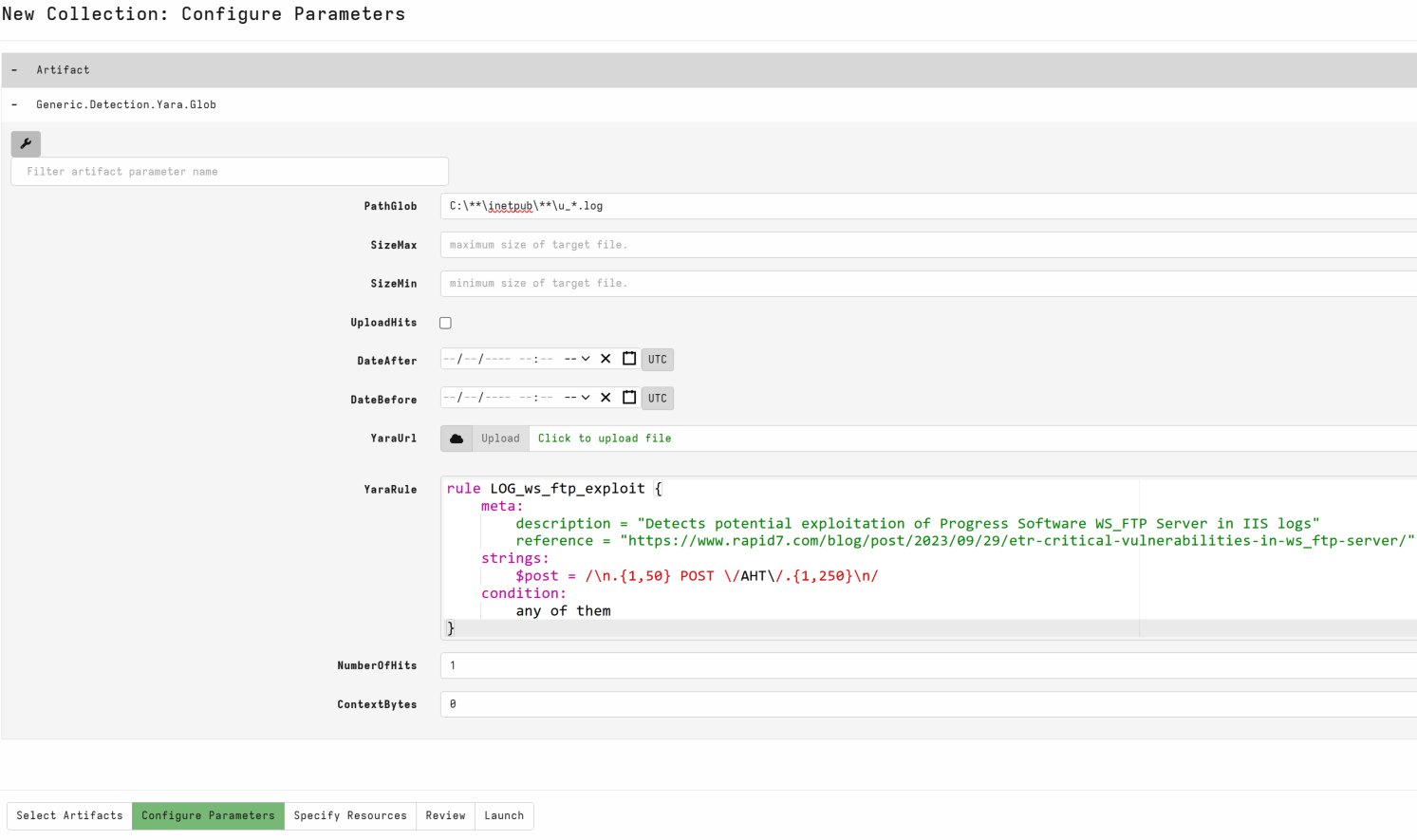
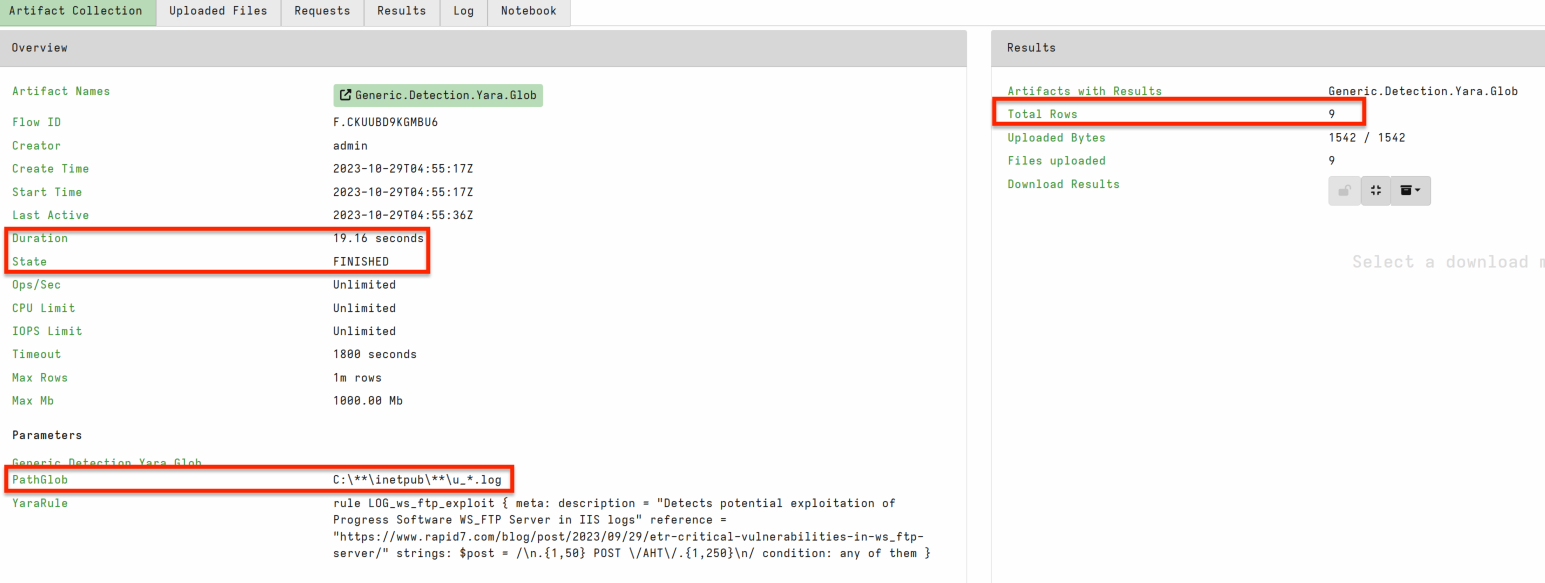
19 seconds is a significant improvement if you do not need ntfs assurance!
However, the fastest was Generic.Detection.Yara.Glob knowing the path and using a glob reducing the need to search down many root folders.
PathGlob=C:\{Users\*\SomeRandomAppLocation\,}inetpub\**\u_*.log

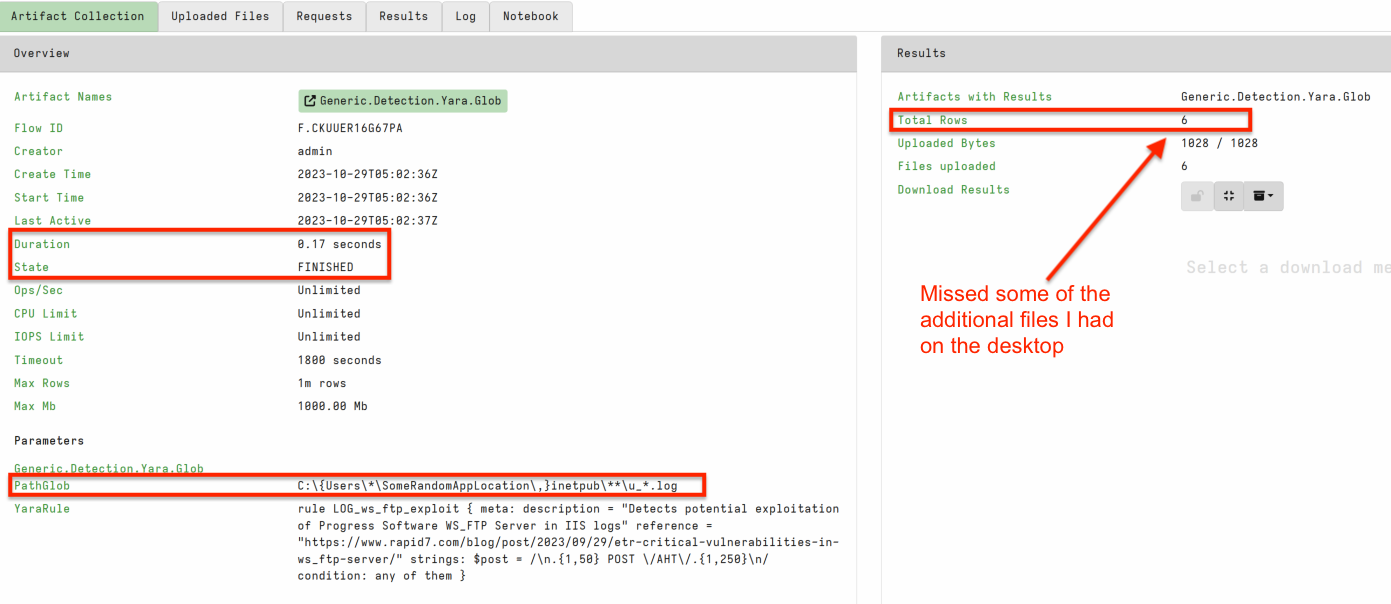
Task 2 · Memory queries
Similar to disk yara; targeted memory yara is significantly much faster.
I like to use it as detection for well known samples and part of a triage process, and to be confident in weeding out potential false positives.
The obvious downside is less loose yara rules mean potential for a miss if your incorrect.
Run the below in Powershell.
This code will download a Velocidex loader tool and inject a benign Cobalt Strike beacon into notepad.
# DEATHcon 2023: Velociraptor injection datagen
$loader_url = "https://github.com/Velocidex/injector/releases/download/v0.1/loader.exe"
$payload_path = $env:HOMEDRIVE + $env:HOMEPATH + "\Desktop\loader.exe"

# Defender exclusions
Add-MpPreference -ExclusionPath $payload_path -ExclusionProcess $payload_path -ExclusionExtension "exe,dll,efi,ps1"

Invoke-WebRequest -Uri $loader_url -OutFile $payload_path
Start-Process -WindowStyle hidden -FilePath notepad.exe
Start-Sleep -Seconds 2
$target_pid = (Get-Process Notepad)[0].id
cmd /c "$payload_path $target_pid"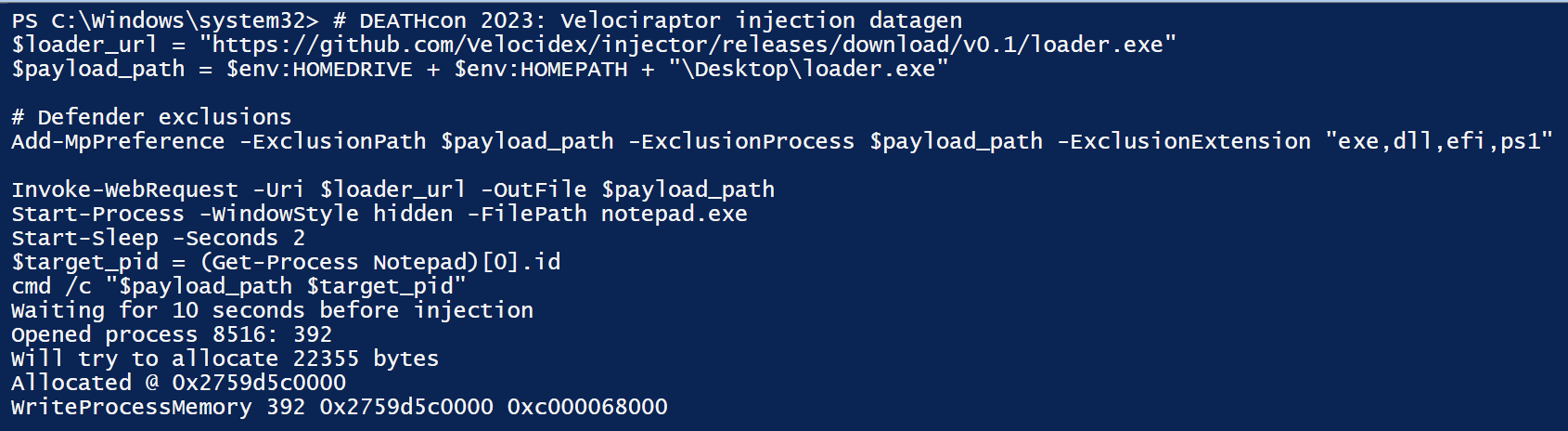
Select screenshot to view full size in a new tab. After execution there should be a hidden notepad.exe running with an injected Cobalt Strike
Open your test machine collection view and run a new Windows.Detection.Yara.Process collection use the MFT to hunt for our test files.
The default yara rule is CobaltStrike so we can just hit launch to run the collection.
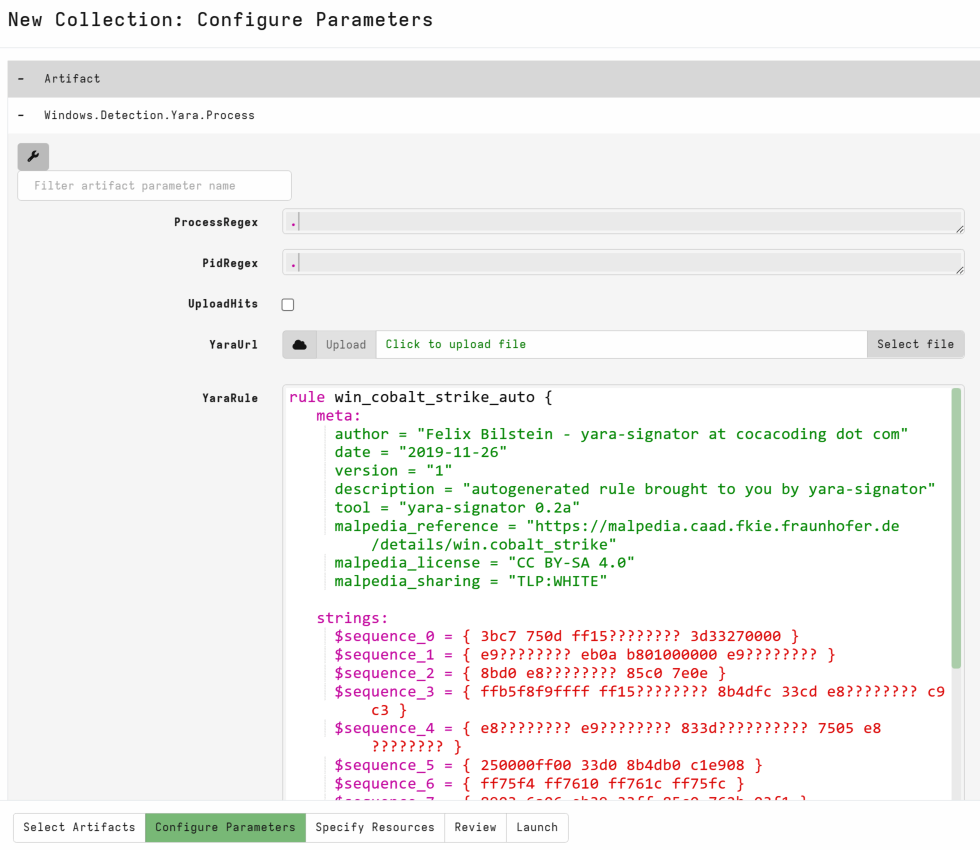
You can see the hit is directly on notepad, taking ~130 seconds.
Most Velociraptor Yara artifacts are configured to stop after one hit for optimal performance.
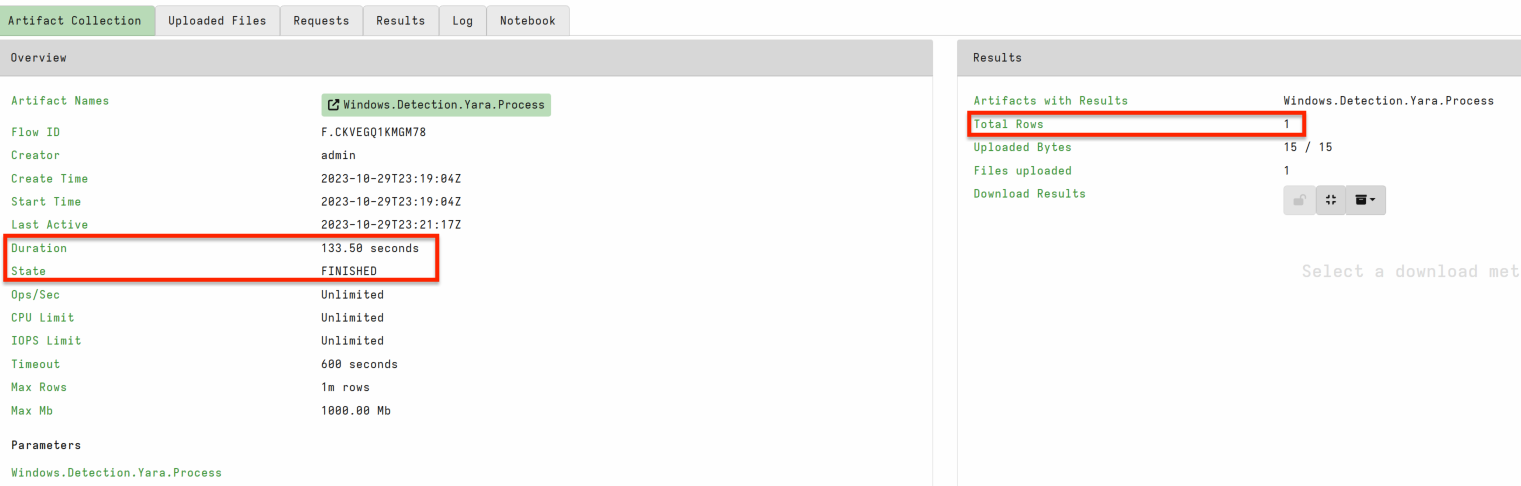
Next, I want to show you an optimal way to improve detections with data reduction prior to Yara. Windows.System.VAD artifact we discussed previously enables running Yara over individual sections with memory attribute targeting.
Open your test machine collection view and run a new Windows.System.VAD collection we want to copy the yara run in the previous artifact. I usually reselect the Yara.Process and copy out the yara then run Windows.System.VAD with the yara rule in my clipboard.
For this sample I want you to run:
MappingRegex = ^$: Regex for unbacked sections.ProtectionRegex = -rw: Typical malware would have its injected sections executable but for this demo we are targeting -rw to show some FP triage later on.Dont forget to add in the CobaltStrike Yara rule into
SuspiciousContent!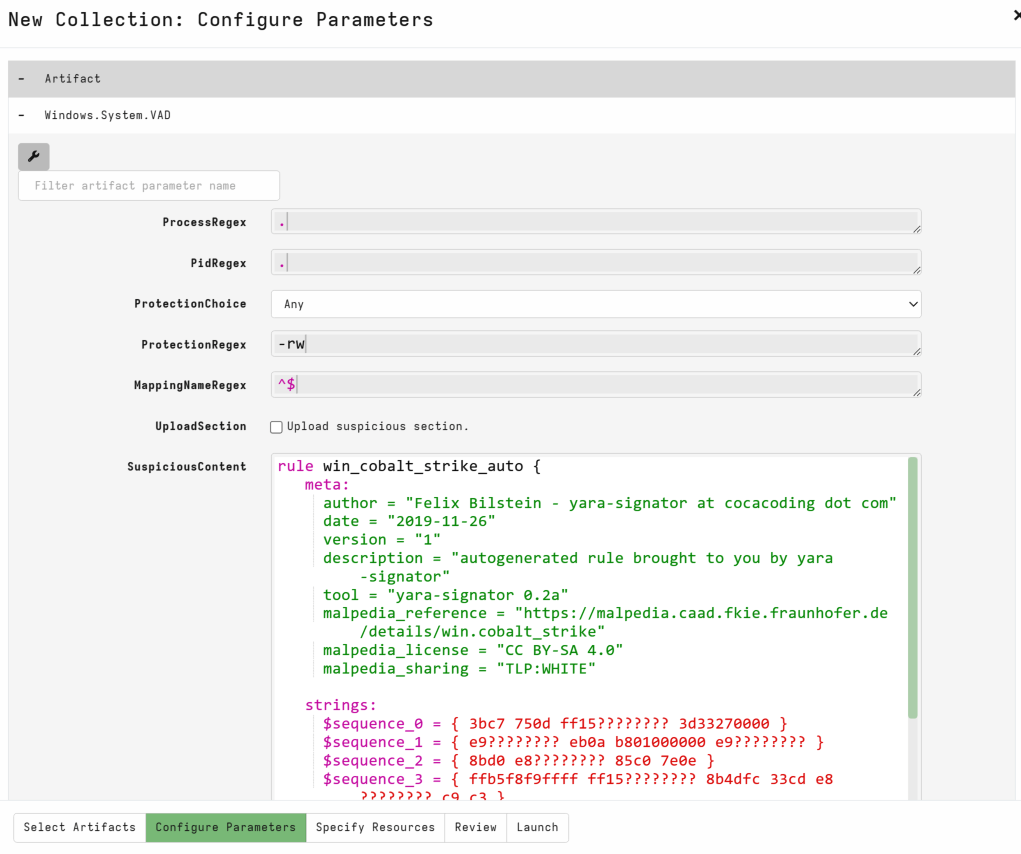
Select screenshot to view full size in a new tab.
When completed we have several hits and results were returned much faster due to the targeting. Keep in mind, we targeted unbacked with RW protection, unbacked with XRW protection for instance is much less common.
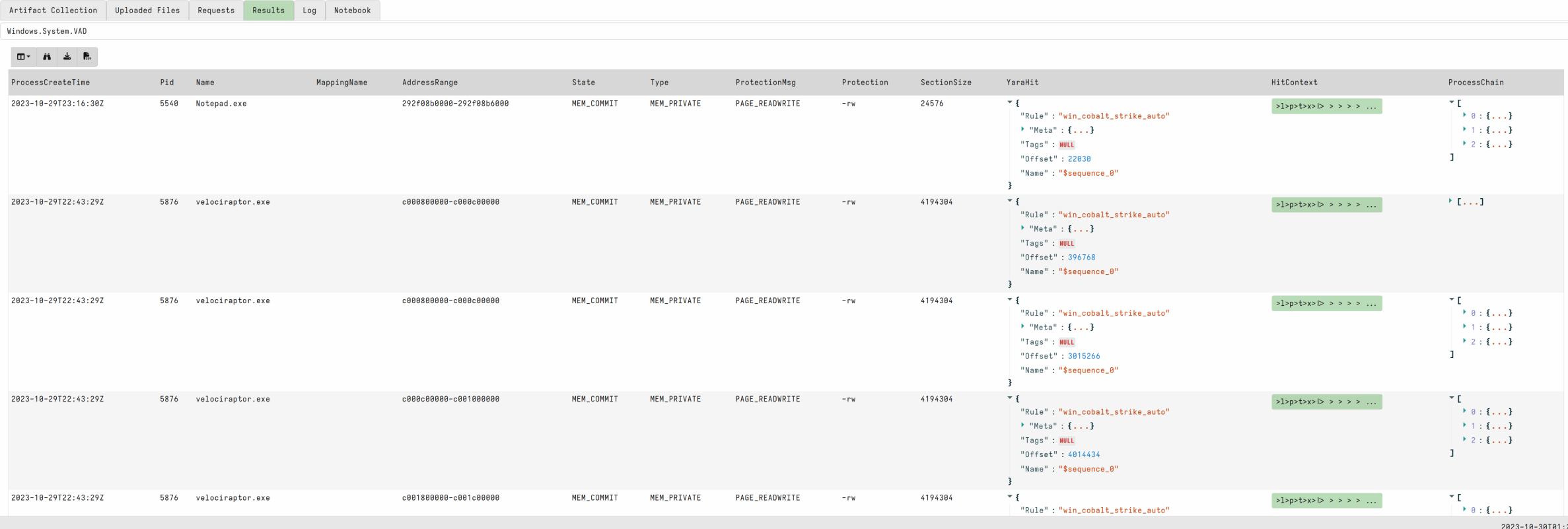
We can see Velociraptor.exe has several hits. Windows.Detection.Yara.Process filters out the Velociraptor process by default Windows.System.VAD does not. We can use this as an opportunity to triage hits and show how we rule out a false positive.
💡 Process Yara Triage
In the wild, we regularly see False Positives when running memory yara.
Select the
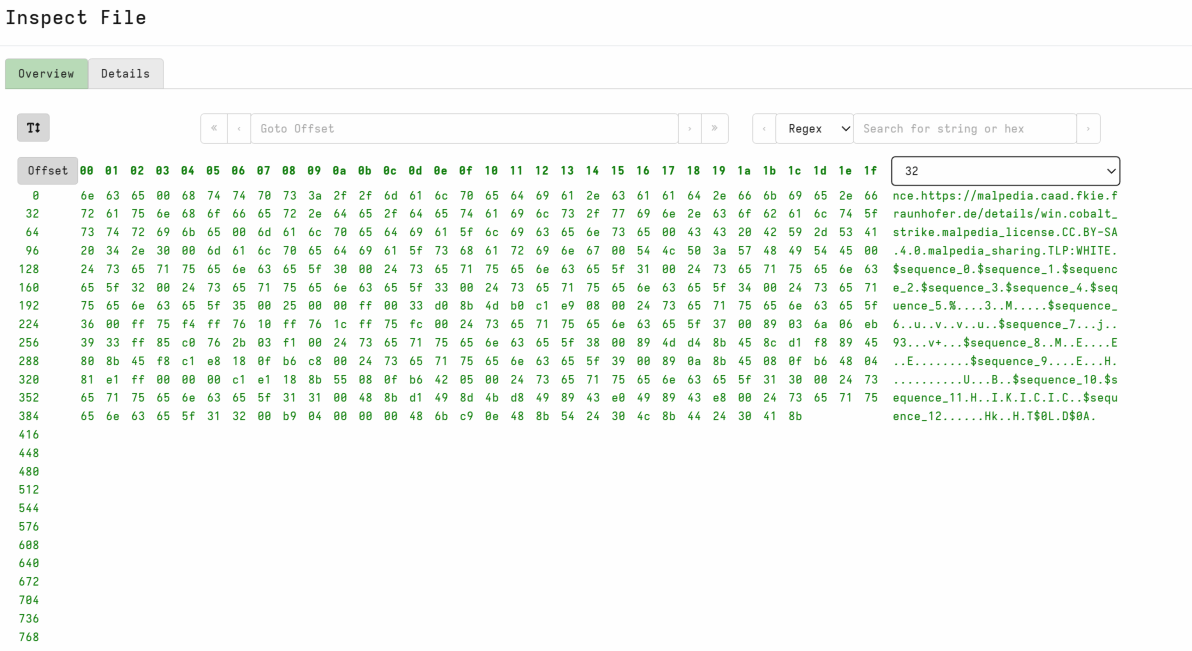
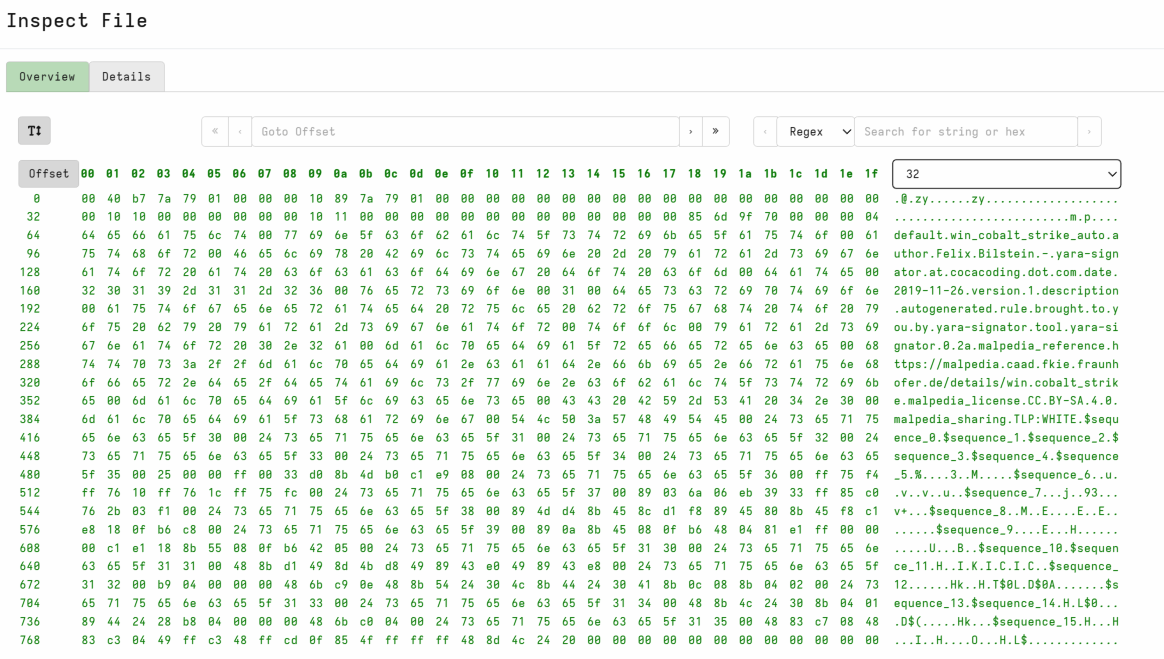
HitContextfield to view string and hex view of the hit.Often we can see strings that indicate a security product or why the hit has occurred.
- Rerun the query above and increase the ContextBytes to 2000. This should show enough context on our hit to determine FPs.
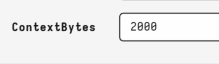
Clicking on the HitContext on our notepad.exe hits we can see suspicious strings.
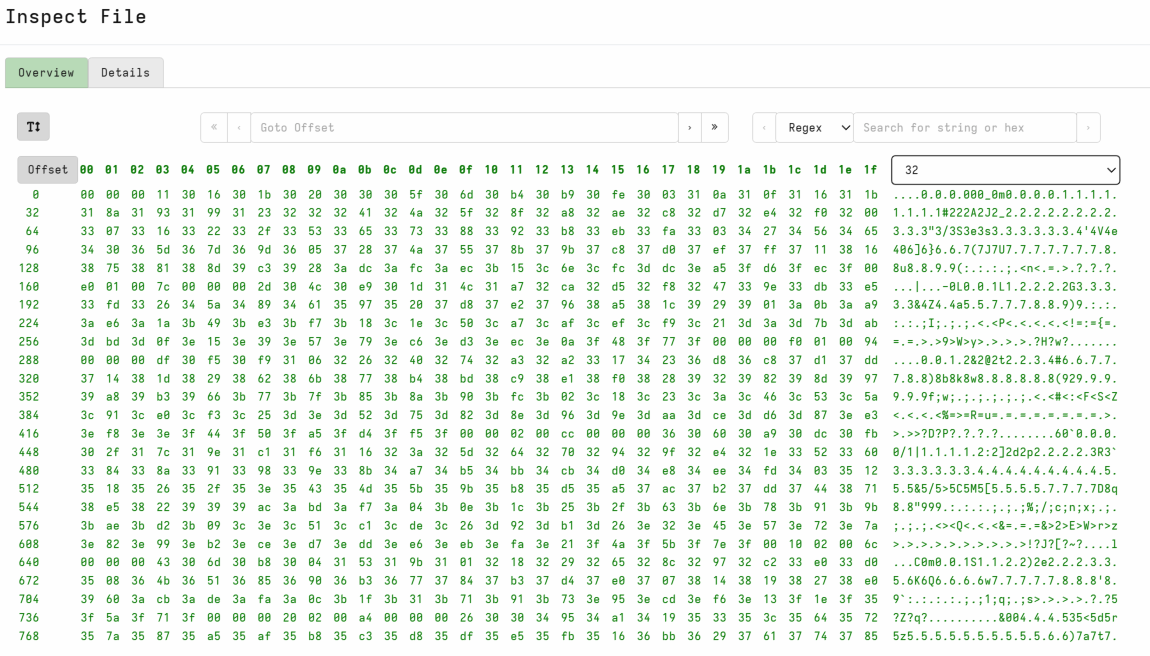
Clicking on the HitContext on our velociraptor.exe hits we can see clearly VQL and our yara rule, indicating we are likely looking at a false positive.